Living Record
Remember what happened.
Retain the request, conditions, actions, and evidence. Inspect the task’s context and compact it without losing what matters.


MABOS-Code / From intent to implementation
Set the direction. Choose your models. Bring agents, tools, and lasting project memory into the work. Code, Plan, and Orchestrate carry your intent from the repository to a running application.
Sign in with your authorized KI account. Get desktop access
Move from the conversation into files, changes, commands, and a live preview. The repository stays in reach. The task keeps its history. You keep the thread.
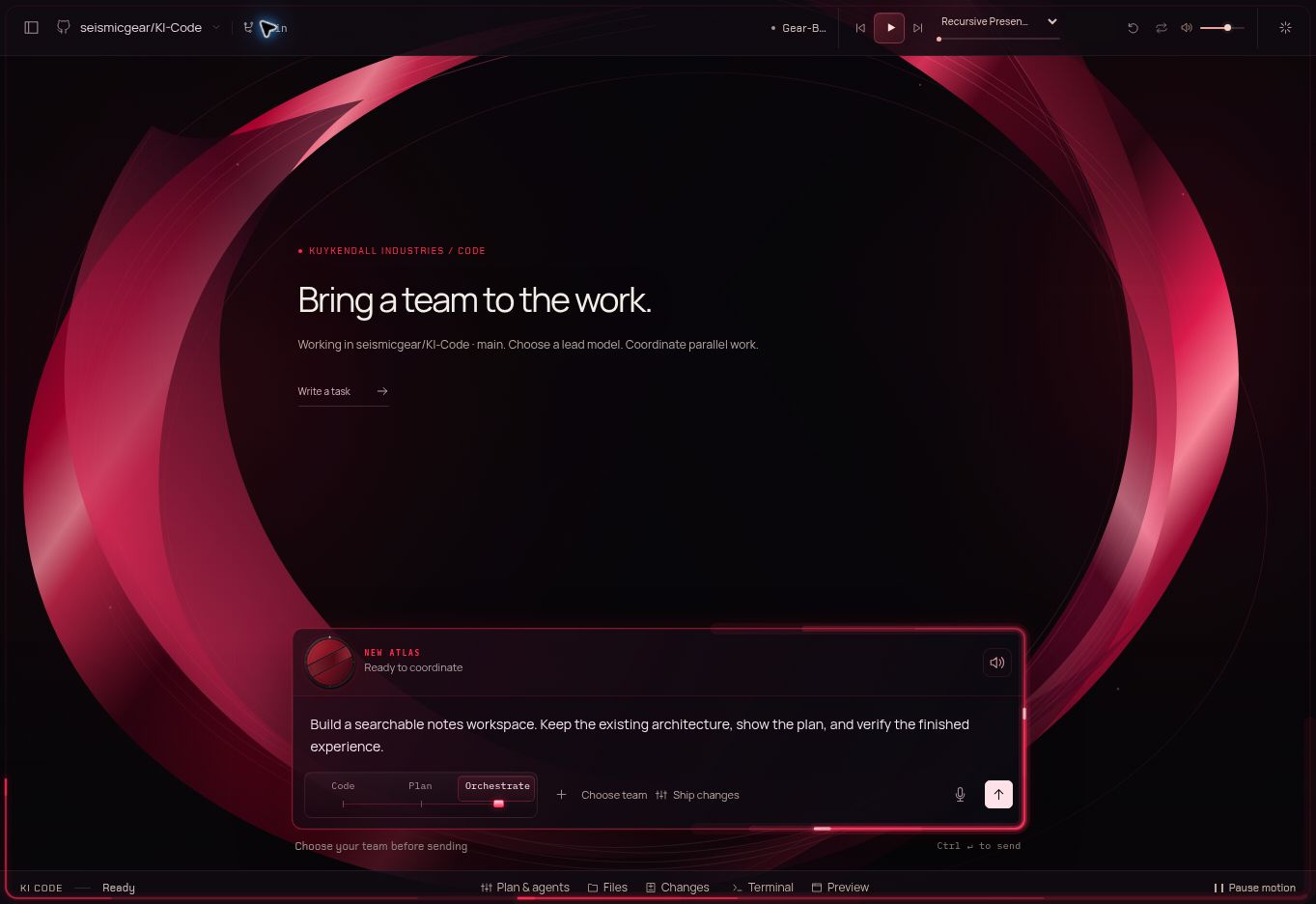
02 / Inside the harness
Take one request through the system. Open the plan, inspect an agent’s assignment, then use the application preview. Every stage belongs to the same project.
Bring the repository, branch, and project instructions. Give Code a goal and the conditions that matter.
A working example you can explore. Tour controls do not change your account or run a coding task.
Add a searchable notes view. Keep the existing architecture.
Repository instructions, files, and project context travel with the task. Model choice and the machine that runs the work are separate controls.
03 / Your models. Your decisions.
Local when it fits. Cloud when it helps. Your choice when you know what you want. Auto weighs eligible models, tool support, and benchmark evidence—and shows you why.
Balanced prefers eligible local models, then eligible cloud models. The task, tool support, context, account access, and your settings shape the route.
Higher-cost frontier models join Auto only when you opt in.
Off by default. This includes automatic fallback and agent selection. Manual selection does not enable Auto opt-in.
Work with supported coding models from OpenAI, Anthropic / Claude, Google / Gemini, xAI / Grok, Together, and your local machine. Your connected accounts and each model’s supported tools determine the available catalog.
Model and provider availability follow your connections. Product access and customer-funded inference are separate.
04 / Continuity without starting over
A project learns as you build it. The Living Record keeps the task’s experience. The Meaning Lattice connects decisions, discoveries, and evidence so the next step starts with understanding.
Living Record
Retain the request, conditions, actions, and evidence. Inspect the task’s context and compact it without losing what matters.
Meaning Lattice
Link summaries, code changes, and discoveries. Continue a task or begin the next with connected project knowledge.
of the selected primary
model’s context window
The persistent percentage follows the primary conversation and the selected model’s capacity. Child agents have their own context windows.
Inspect the breakdown. Keep the task’s intent and conditions through compaction.
Primary calls · sub-agents · retries · tools · Cold Lane
Token/API consumption and monetary cost are measured separately.
05 / A second perspective on the task
A small-budget supervisor checks in when the work needs it. Cold Lane helps route models, coordinate workers, identify drift, and check the requested outcome.
It resolves suitable routine reviews within your configured authority. Your instructions, conditions, and Stop control stay in force.
Default-on, and yours to disable. Invoked as needed with a deliberately small budget; its usage appears in accounting.
06 / Connected by design
A KI account connects the experience. Add the services and knowledge your project needs, with clear scope and visible connection status.
Install, launch, and update KI applications. Bring your KI sign-in and provider credential wallet.
Explore Array ↗ MABOS-CodeYour KI account · Your project
Search the public web from the task. Customer search uses public information; institutional employee access stays separately scoped.
Explore Search ↗Optional connectionConstellationAI Congress is part of Constellation. Connect or create a workspace and choose the access agents receive to read, save, and coordinate institutional knowledge.
Explore Constellation ↗GitHub for repositories. Supabase for data. Vercel for delivery. Local Environment detects dependencies and guides setup, including Docker where needed.
Tavily is an optional, additional connection using your own key. Public KI Search is included without another search-provider account.
Use public web results to find references and verify current information. This tour does not send a search or change your workspace.
Tour controls · Public information only07 / One project, wherever you work
The web workspace and desktop application share the same Rust runtime. Get access in the KI Store, then install and update Code through Array. Desktop keeps your sign-in through updates and prepares the local environment for your work.
Six original tracks, on a continuous loop. Press Play and explore. Music softens while Atlas speaks.
Recursive Presence
Ready to playMusic starts when you press Play.
MABOS-Code / Kuykendall Industries
Your models. Your project. A workspace that carries the work forward.
Authorized accounts can enter the workspace. Selected KI Fieldwork testing partners receive the product rights listed in their invitation. Inference and execution use your configured resources.
Explore Code’s ecosystem connections ↗